
Fact-checked by the digital reach solutions editorial team
Quick Answer
Passkeys are significantly safer than passwords. As of July 2025, passkeys eliminate phishing attacks entirely and cannot be stolen in data breaches because no secret is stored on a server. Traditional passwords are involved in over 80% of data breaches, while passkeys use public-key cryptography that has never been cracked in real-world attacks.
When comparing passkeys vs passwords, the security gap is not subtle — it is structural. Passwords rely on a shared secret that lives on both your device and a company’s server, making them permanently vulnerable to theft. According to Verizon’s 2024 Data Breach Investigations Report, stolen or weak credentials are the leading cause of breaches, accounting for more than 80% of hacking-related incidents.
The shift is accelerating. Major platforms including Google, Apple, and Microsoft now support passkeys by default — and understanding why matters for every user and every business managing digital accounts.
What Are Passkeys and How Do They Work?
A passkey is a cryptographic credential that replaces a password entirely, using a pair of mathematically linked keys — one public, one private. You never type anything. Authentication happens when your device signs a challenge from the server using the private key, which never leaves your device.
The technology is built on the FIDO2 standard, developed by the FIDO Alliance, a consortium that includes Google, Apple, Microsoft, and PayPal. The server only ever stores the public key. Even if that server is breached, there is nothing useful for an attacker to steal — the private key remains locked in your device’s secure hardware chip.
How Passkey Authentication Feels to the User
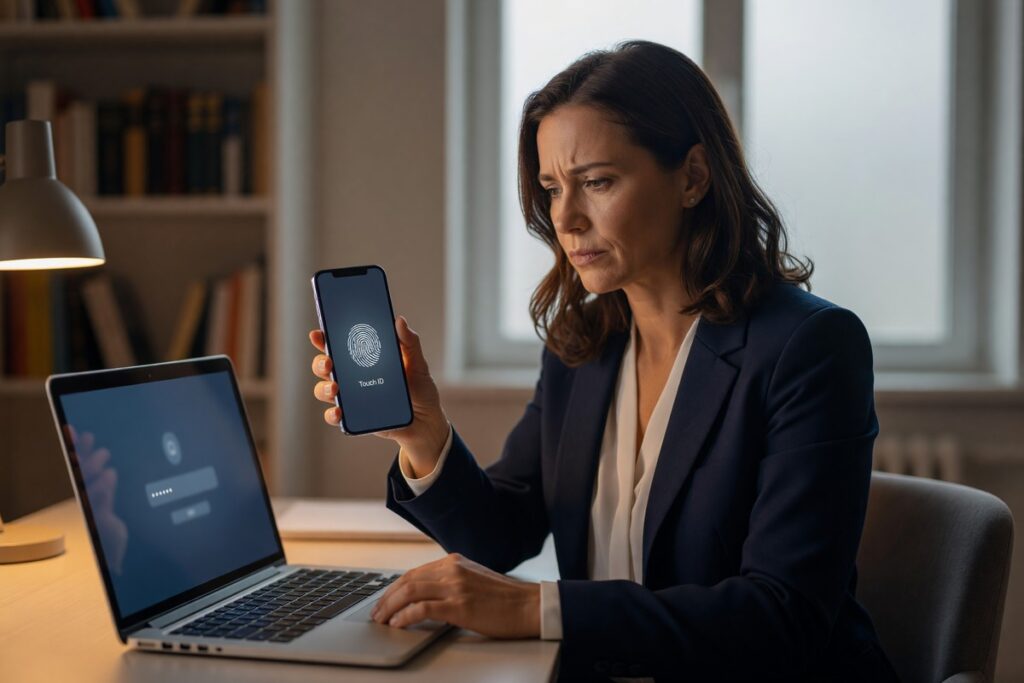
From a user perspective, signing in with a passkey takes one step: a biometric scan (Face ID, fingerprint) or device PIN. There is no password to remember, no reset email to wait for, and no risk of accidentally entering credentials on a fake site.
Passkeys sync across devices through platform ecosystems. Apple syncs passkeys via iCloud Keychain, Google via Google Password Manager, and Microsoft via Windows Hello — so losing a phone does not mean losing access.
Key Takeaway: Passkeys use FIDO2 public-key cryptography, meaning no secret is ever shared with or stored by a website. The FIDO Alliance reports that passkeys are resistant to phishing and server-side data theft by design — a zero-server-secret model passwords cannot replicate.
Why Do Passwords Keep Failing Us?
Passwords fail because they require both sides of a transaction — you and the server — to hold the same secret. That shared-secret model creates two attack surfaces: your device and the company’s database.
The scale of the problem is enormous. The Have I Been Pwned database now tracks over 14 billion breached account records. Human behavior compounds the risk: a 2023 study by NordPass found that “123456” remains the world’s most used password, appearing in more than 4.5 million breached accounts in a single year.
The Phishing Problem Passwords Cannot Solve
Even a strong, unique password offers zero protection against a convincing phishing page. Users enter real credentials on fake sites every day. Multi-factor authentication (MFA) via SMS codes helps, but attackers now use real-time phishing proxies — tools that capture and replay OTP codes within seconds.
Passkeys are phishing-proof by architecture. The cryptographic handshake is bound to the exact domain of the legitimate site. A fake domain receives a challenge it cannot answer, because the private key will only sign for the correct origin.
Key Takeaway: Passwords are involved in over 80% of breaches per Verizon’s DBIR, and SMS-based MFA is bypassed by real-time phishing proxies. Passwords have no architectural defense against credential stuffing or phishing — passkeys eliminate both attack vectors at the protocol level.
| Security Factor | Passwords | Passkeys |
|---|---|---|
| Phishing Resistance | None — users can be tricked on any fake site | Complete — cryptographic domain binding blocks fake sites |
| Server Breach Risk | High — hashed passwords can be cracked offline | None — only a public key is stored; useless without the private key |
| Credential Stuffing | High risk — reused passwords work across sites | Zero risk — each passkey is unique to one service |
| User Friction | High — reset flows, complexity requirements | Low — one biometric or PIN tap |
| Account Recovery | Email/SMS reset (itself a phishing target) | Device ecosystem recovery (iCloud, Google, Microsoft) |
| Adoption Rate (2024) | Universal legacy support | Over 13 billion passkey-enabled accounts globally |
How Widely Are Passkeys Actually Being Adopted?
Passkey adoption is moving faster than most authentication upgrades in history. Google announced in 2023 that passkeys had been used to authenticate accounts over 1 billion times, and by early 2025 the number of passkey-enabled accounts across all major platforms had surpassed 13 billion.
Major services including Amazon, PayPal, GitHub, Shopify, Uber, and LinkedIn now support passkeys. According to the FIDO Alliance’s published data, passkeys reduce sign-in time by up to 75% compared to password-plus-MFA flows, which accelerates enterprise adoption beyond just security benefits.
“Passkeys represent the most significant shift in consumer authentication in two decades. Unlike passwords, they require no user behavior change to achieve near-perfect phishing resistance.”
Businesses managing digital infrastructure should treat passkey support as a near-term requirement. If your organization is still weighing how to automate and modernize small business operations with AI tools, securing authentication is a foundational first step before expanding your tech stack.
Key Takeaway: Passkeys have been used to authenticate accounts over 1 billion times on Google alone, per FIDO Alliance data. Sign-in speed increases by up to 75%, making passkeys a business efficiency upgrade, not just a security one.
Are Passkeys Perfect, or Do They Have Weaknesses?
Passkeys are not flawless. The primary vulnerabilities are device compromise, account recovery gaps, and incomplete platform coverage — not the cryptographic protocol itself.
If an attacker has physical access to your unlocked device, they can authenticate as you. This is true of any biometric system. However, this threat model is far narrower than password attacks, which can be executed remotely at scale. Remote mass exploitation of passkeys is currently not technically feasible.
Passkey Portability and Vendor Lock-In Concerns
Early passkey implementations were criticized for platform lock-in — an Apple passkey could not easily move to an Android device. The FIDO Alliance addressed this in 2024 with a credential exchange specification that enables secure passkey migration between providers. This significantly reduces the lock-in risk that initially slowed enterprise adoption.
For small businesses and individual users navigating complex digital ecosystems, the same careful setup discipline required for AI tools and chatbots applies to passkey rollout — a misconfigured recovery path is the most common failure point.
Key Takeaway: Passkeys’ main weakness is device-level physical access, not remote attack. The FIDO Alliance’s 2024 credential exchange spec resolved cross-platform portability — leaving account recovery planning as the primary implementation risk for organizations adopting passkeys today.
Should You Switch From Passwords to Passkeys Right Now?
Yes — for any account that supports passkeys, switching now is the right decision. The security benefit is immediate, the setup takes under two minutes, and the user experience is objectively simpler.
The National Institute of Standards and Technology (NIST) updated its digital identity guidelines in SP 800-63B to recognize phishing-resistant authentication — the category passkeys fall into — as the highest assurance level available. Organizations subject to compliance frameworks like SOC 2, ISO 27001, or HIPAA should treat passkey adoption as a path to meeting the strongest available authentication controls.
For businesses building out their digital presence, authentication security directly affects customer trust. The same way that avoidable brand mistakes erode your online reach, a preventable account breach can permanently damage user confidence. The passkeys vs passwords decision has real downstream consequences for reputation, not just security posture.
The practical steps are straightforward. Go to your account’s security settings, look for a passkeys or security key option, and follow the setup prompt. For business teams managing multiple services, password manager platforms like 1Password and Dashlane now support passkey storage alongside traditional credentials, easing the transition.
Key Takeaway: NIST SP 800-63B classifies passkeys as the highest assurance authentication tier available. Setup takes under 2 minutes per account, and platforms like FIDO Alliance’s passkey directory list every service currently supporting passkeys — making migration straightforward for individuals and teams alike.
Frequently Asked Questions
Are passkeys safer than passwords with two-factor authentication?
Yes. Passkeys are safer than passwords combined with standard two-factor authentication (2FA). SMS-based 2FA is vulnerable to SIM swapping and real-time phishing proxies, while passkeys are phishing-resistant by design. Even app-based TOTP codes can be intercepted; passkeys cannot because the private key never leaves your device.
Can passkeys be hacked or stolen?
Passkeys cannot be stolen remotely in the way passwords can. The private key is stored in your device’s secure enclave and never transmitted. The only realistic attack requires physical access to your unlocked device — a far narrower threat than remote password theft.
What happens if I lose my phone and I only use passkeys?
Recovery depends on your platform ecosystem. Apple restores passkeys via iCloud Keychain, Google via Google Password Manager, and Microsoft via Windows Hello backup. You should also maintain a registered backup device or use a hardware security key as a fallback — most services support multiple passkey registrations.
Do all websites support passkeys yet?
Not all websites support passkeys, but adoption is accelerating rapidly. As of 2025, major platforms including Google, Apple, Microsoft, Amazon, GitHub, PayPal, and Shopify support passkeys. The Passkeys Directory maintains an up-to-date list of services that have enabled passkey authentication.
Is the passkeys vs passwords debate settled, or are passwords still needed?
The debate is largely settled on security grounds — passkeys win clearly. However, passwords remain necessary where passkey support does not yet exist. The practical answer is to use passkeys wherever available and use a password manager with unique, strong passwords everywhere else.
Are passkeys free to use?
Yes. Passkeys are free for both users and websites to implement. The FIDO2 protocol is an open standard, and platform support (Apple, Google, Microsoft) is built into operating systems at no additional cost. Third-party password managers like 1Password charge subscription fees, but native passkey support requires no paid service.
Sources
- Verizon — 2024 Data Breach Investigations Report
- FIDO Alliance — Passkeys Overview and Technical Documentation
- FIDO Alliance — Passkeys Reduce Sign-In Time by Up to 75%
- FIDO Alliance — Credential Exchange Specification (2024)
- Have I Been Pwned — Breached Account Database
- NIST — Special Publication 800-63B: Digital Identity Guidelines
- Passkeys Directory — Services Supporting Passkey Authentication
- Google Security Blog — Passkeys: Over 1 Billion Authentications