
Fact-checked by the digital reach solutions editorial team
Quick Answer
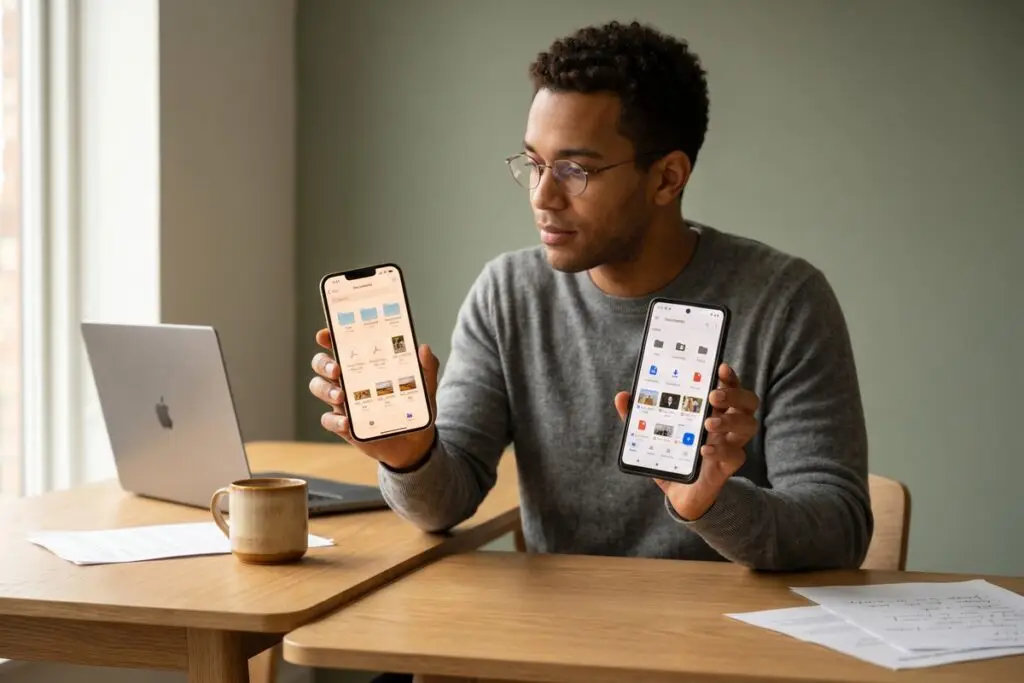
As of July 2025, Android offers more flexible phone file management with a dedicated Files app giving direct folder access, while iPhone’s Files app manages cloud and local storage but restricts deep system access. Android supports over 40 file types natively, whereas iPhone users rely on iCloud’s 5 GB free tier before hitting storage limits.
Phone file management is one of the most underrated factors when choosing between iPhone and Android — yet it directly affects how fast you find, share, and organize everything from work PDFs to vacation photos. According to Statista’s 2024 mobile OS market share data, Android holds 71.8% of the global smartphone market, meaning the majority of users are navigating a file system with far more native flexibility than most realize.
The gap between the two platforms has narrowed since Apple introduced its Files app in iOS 11, but key structural differences remain. Understanding those differences helps you pick the right device — or work smarter on the one you already own.
How Does iPhone File Management Actually Work?
iPhone organizes files through the Apple Files app, which acts as a unified hub for iCloud Drive, local device storage, and third-party cloud services like Google Drive and Dropbox. Apple does not expose a traditional folder hierarchy to users — apps store their own data in sandboxed containers, and the Files app surfaces only what apps explicitly share.
This sandboxed model improves security but limits portability. You cannot, for example, drag a file downloaded in Safari directly into a folder used by a video editing app without going through the share sheet. Apple’s official Files app documentation confirms that app-specific folders are only visible when the developer enables document sharing.
iCloud Integration and Storage Tiers
iCloud is deeply woven into iPhone’s file system. Free accounts receive 5 GB of iCloud storage — a limit that fills quickly once backups and photos are included. Paid plans start at $0.99/month for 50 GB. For users managing large downloads or work files, this ceiling creates friction that Android’s local-first approach avoids by default.
Key Takeaway: iPhone’s Files app centralizes cloud and local storage but restricts direct folder access due to app sandboxing. The free 5 GB iCloud tier fills fast — users with heavy download habits should budget for a paid plan. See Apple’s Files app support page for full capability details.
How Does Android File Management Give You More Control?
Android’s file management is fundamentally more open. Google’s Files by Google app — preinstalled on most Android devices — provides direct access to internal storage folders, SD card contents, and downloads in a familiar directory structure. Users can move, rename, compress, and delete files across categories without app-specific restrictions.
Android also supports external microSD card storage on compatible devices, a feature Apple has never offered on iPhone. This allows users to expand storage by up to 1 TB on supported handsets, according to Google’s Files app feature page. For photographers, podcasters, or anyone managing large media libraries, this is a significant practical advantage.
Files by Google: Smart Cleanup Features
Beyond basic organization, Files by Google uses on-device AI to flag duplicate files, large files, and unused apps. In internal testing, Google reported the app helped users free up an average of 1 GB of storage per cleanup session. This proactive approach to phone file management reduces manual effort considerably.
If you’ve ever dealt with a sluggish device caused by storage bloat, the common mistakes people make trying to speed up a slow Android phone often trace back to poor file hygiene — exactly what Files by Google is designed to prevent.
Key Takeaway: Android’s Files by Google app provides direct folder-level access and supports external storage up to 1 TB on compatible devices. Its AI-powered cleanup routinely recovers 1 GB or more per session, per Google’s official Files feature data.
| Feature | iPhone (iOS 18) | Android (Android 14) |
|---|---|---|
| Native File App | Apple Files | Files by Google |
| Free Cloud Storage | 5 GB (iCloud) | 15 GB (Google Drive) |
| External SD Card | Not supported | Up to 1 TB (select models) |
| Folder Access Level | App-sandboxed | Full directory access |
| Natively Supported File Types | ~25 types | 40+ types |
| Smart Cleanup Tool | No (manual only) | Yes (AI-powered) |
| USB File Transfer (Drag-Drop) | Requires iTunes/Finder | Direct via MTP protocol |
| Third-Party Cloud Integration | Yes (via Files app) | Yes (via Files app) |
Which Platform Handles Downloaded Files Better?
Android handles downloads more transparently than iPhone. When you download a file on Android, it lands in a dedicated Downloads folder that any app — and the user — can access directly. The file path is visible, movable, and shareable without friction.
On iPhone, downloads land in iCloud Drive or a local “On My iPhone” folder inside the Files app, but the experience varies by browser. Safari places downloads in a designated Downloads folder, while third-party browsers may route files differently. Apple’s approach prioritizes security over raw accessibility — a trade-off that confuses many new iPhone users.
Managing Work Files Across Devices
For professionals managing PDFs, spreadsheets, and presentations across devices, both platforms support integration with Microsoft OneDrive, Google Drive, and Dropbox. However, Android’s open file system means third-party file manager apps like Solid Explorer or Total Commander can provide a desktop-grade experience on mobile. iPhone restricts this depth of access at the OS level.
This matters especially for remote workers — a group that’s grown to represent 28% of U.S. employees according to Pew Research Center’s 2023 commuting and work data. Efficient phone file management directly affects daily productivity for this segment.
“Android’s open file architecture gives power users a level of control that simply isn’t possible on iOS. For anyone managing complex workflows on a smartphone, the ability to interact directly with the file system — not just what apps expose — is a genuine productivity multiplier.”
Key Takeaway: Android routes downloads to an accessible, universal Downloads folder, while iPhone’s behavior varies by browser and app. With 28% of U.S. employees now working remotely per Pew Research Center, transparent phone file management is a daily productivity issue — not a power-user luxury.
Which Platform Is More Secure for File Storage?
iPhone’s sandboxed file system is a deliberate security feature, not a limitation. Because each app operates in its own container, malware cannot easily access files stored by other apps. Apple’s App Store review process and iOS’s Data Protection API encrypt files using hardware-level keys tied to the device’s Secure Enclave.
Android has closed the security gap significantly with Android 14, which introduced tighter media permissions requiring apps to request access to specific file categories rather than broad storage. Google’s Android 14 developer documentation on partial media access outlines how this granular permission model limits unauthorized file access.
Cloud Security and Encryption
Both iCloud and Google Drive use AES 256-bit encryption for files in transit and at rest. Apple goes a step further with Advanced Data Protection, an opt-in feature that enables end-to-end encryption for iCloud backups. If security is your primary concern for stored files, iPhone currently holds a slight edge — though Android’s improvements in version 14 have made the gap smaller than it was even two years ago.
For users who want to go deeper on mobile security practices, understanding hidden iPhone features that power users rely on includes several privacy and file protection settings that most people never enable.
Key Takeaway: iPhone’s app sandboxing and opt-in Advanced Data Protection give it a slight security edge for file storage. Android 14’s granular media permissions — documented by Google’s developer team — have meaningfully closed the gap since 2022.
Which Platform Is Actually Better for Everyday Phone File Management?
Android wins for users who want direct, flexible phone file management — especially those moving files between apps, managing large downloads, or connecting to a PC without software. iPhone wins for users who prioritize security, simplicity, and a seamless ecosystem where file organization happens largely in the background.
The right answer depends on your workflow. Power users, content creators, and remote workers generally benefit more from Android’s open approach. Users embedded in Apple’s ecosystem — with a Mac, iPad, and AirDrop habits — will find iPhone’s integrated file handling frictionless enough to outweigh the restrictions.
Both platforms have matured considerably. Apple’s Shortcuts app now allows automated file workflows on iPhone that rival basic Android scripting. Meanwhile, Android’s Google One backup service provides up to 15 GB free across Gmail, Drive, and Photos — triple iCloud’s free tier. For a broader look at how your choice of platform affects your overall digital organization strategy, the principles behind choosing between owned and rented platforms apply here too: control versus convenience is always the real trade-off.
It’s also worth noting that phone file management doesn’t exist in isolation. How you handle files on your phone connects directly to how you manage data security overall. Reviewing your digital footprint and file exposure risks is a smart next step once you’ve optimized your storage setup on either platform.
Key Takeaway: Android provides more hands-on phone file management with 15 GB free cloud storage via Google One, while iPhone trades control for seamless ecosystem integration. Neither platform is universally superior — your workflow and security priorities should determine the choice. See Google Files’ feature overview for Android’s current capabilities.
Frequently Asked Questions
Can you access files on an iPhone like a regular folder system?
Not fully. The Apple Files app shows iCloud Drive and “On My iPhone” folders, but apps store most data in sandboxed containers not visible to users. You can organize files within the Files app, but you cannot browse the entire iOS file system the way you can on Android or a desktop computer.
Does Android have a better file manager than iPhone?
For most users who want direct control, yes. Android’s Files by Google app gives full directory access, supports SD cards, and includes AI-powered cleanup tools. iPhone’s Files app is more limited but integrates tightly with iCloud and Apple services for a smoother experience within that ecosystem.
How do I transfer files from Android to a PC without software?
Connect your Android phone via USB and select “File Transfer” (MTP) mode on the notification prompt. Your phone appears as a drive in Windows Explorer or macOS Finder, letting you drag and drop files directly. No additional software is required on most modern operating systems.
Why can’t I find my downloads on my iPhone?
Downloads on iPhone go to the Files app under “Downloads” in iCloud Drive or “On My iPhone,” depending on your settings. Open the Files app, tap Browse, then check both iCloud Drive and On My iPhone for a Downloads folder. If you downloaded via a third-party browser, check that app’s internal storage section.
Is iCloud or Google Drive better for phone file management?
Google Drive offers 15 GB free storage shared across Gmail, Photos, and Drive — three times more than iCloud’s 5 GB free tier. For users who need room to store documents and downloads without paying immediately, Google Drive has a practical edge. iCloud integrates more seamlessly for iPhone-only workflows.
Can iPhone use an SD card for extra file storage?
No. Apple has never offered microSD card support on any iPhone model. Storage is fixed at the time of purchase. Android devices from brands like Samsung, Motorola, and Xiaomi frequently include a microSD slot, allowing users to expand storage independently of the manufacturer’s internal options.
Sources
- Statista — Global Mobile OS Market Share 2024
- Apple Support — Use the Files App on iPhone and iPad
- Google Android — Files by Google Feature Overview
- Android Developers — Partial Photo and Video Access in Android 14
- Pew Research Center — How America Changed Its Commute (2023)
- Apple Support — iCloud Advanced Data Protection Overview
- Google One — Storage Plans and Free Tier Details