
Fact-checked by the digital reach solutions editorial team
Quick Answer
As of July 2025, iPhone’s native Voice Memos app edges out most Android alternatives with automatic silence trimming and lossless AIFF recording, but Google’s Recorder app offers real-time, speaker-labeled transcription in over 70 languages — making Android the stronger choice for searchable, organized audio archives.
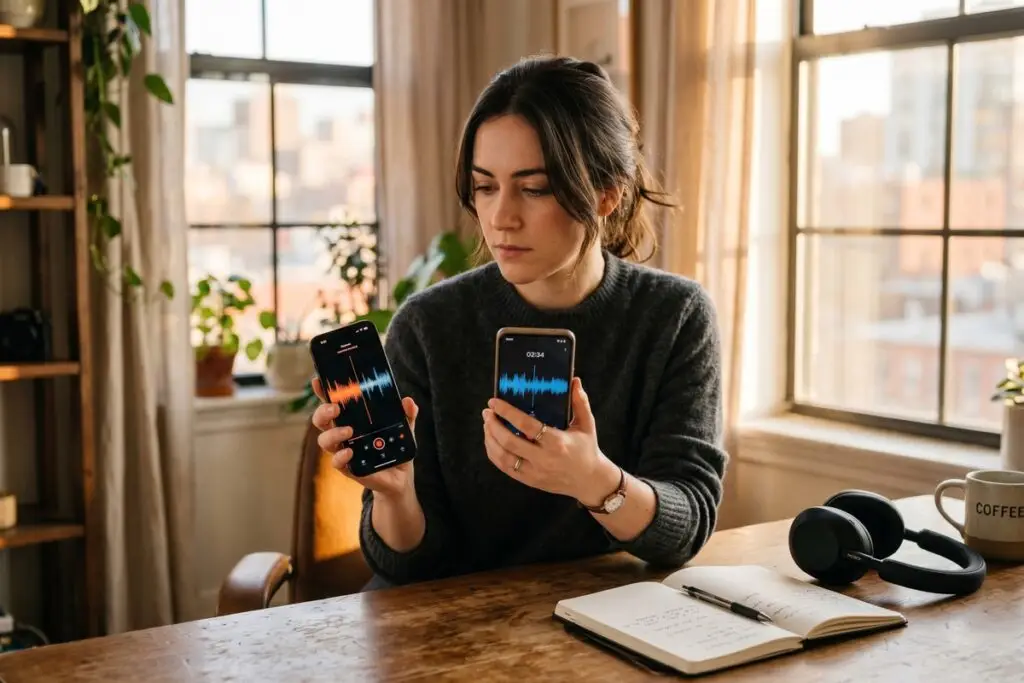
The debate over iPhone vs Android voice memos comes down to two competing priorities: polished, seamless capture versus intelligent, searchable transcription. Apple’s Voice Memos ships on every iPhone and records in uncompressed formats, while Google’s Recorder app — available on Pixel devices — uses on-device machine learning to transcribe speech in real time, a feature no other default app matches out of the box.
As voice-first workflows grow across freelance, business, and creative use cases, choosing the right recording platform is no longer a minor preference — it directly affects how quickly you can retrieve, share, and act on captured audio.
How Does Recording Quality Compare Between iPhone and Android?
iPhone records voice memos in either AAC compressed format or lossless AIFF, giving users a direct quality toggle that most Android stock apps lack. The AAC default balances file size and clarity well for everyday use, while the lossless option suits musicians and journalists who need uncompromised fidelity.
Android’s recording landscape is fragmented. Samsung ships its own Voice Recorder app on Galaxy devices, while stock Android on Pixel devices uses Google Recorder. Neither Samsung’s app nor Google Recorder offers a lossless capture mode by default, though Google Recorder records in AAC at up to 44.1 kHz — sufficient for clear speech but not professional audio work.
Microphone Hardware Matters Too
Recording quality is partly a software story and partly hardware. Apple’s iPhones use a three-microphone array on recent models, enabling directional capture that reduces background noise. Flagship Android phones like the Samsung Galaxy S24 and Google Pixel 9 also feature multi-microphone setups, but processing algorithms differ significantly between manufacturers.
Key Takeaway: iPhone supports lossless AIFF recording — a format no major Android stock app matches — making it the better choice for high-fidelity capture. For typical voice notes, both platforms record in AAC, with quality driven by hardware microphone arrays as much as software.
Which Platform Transcribes and Searches Audio Better?
Google Recorder on Pixel phones is the clear winner for transcription. It converts speech to text in real time, on-device, with no internet connection required, and supports more than 70 languages according to Google’s official Recorder support documentation. Every transcript is fully searchable, so you can locate a specific word spoken in a two-hour recording in seconds.
Apple introduced transcription to Voice Memos with iOS 18, but the feature requires an iPhone 12 or later and is limited to a smaller set of supported languages than Google Recorder. Transcripts are stored locally and indexed by Spotlight Search, allowing system-wide search — a meaningful improvement over older iOS versions.
Samsung Voice Recorder Transcription
Samsung’s Voice Recorder app on Galaxy devices offers transcription through its Live Transcribe feature, but it relies on a cloud connection and Samsung’s partnership with third-party AI services rather than fully on-device processing, raising privacy considerations for sensitive recordings.
“On-device transcription is the most meaningful privacy advance in consumer audio tools in a decade. When your words never leave your hardware, the risk profile of voice recording changes entirely.”
Key Takeaway: Google Recorder transcribes in 70+ languages entirely on-device — no cloud upload needed — giving Android Pixel users a searchable, private audio archive that no other default mobile app currently matches.
How Do iPhone and Android Handle Voice Memo Organization?
Apple’s Voice Memos app organizes recordings into folders, supports custom naming, and integrates with iCloud for cross-device sync. Recordings appear in the Files app and can be shared directly to apps like Notes, Mail, and third-party tools. The automatic silence trimming feature, introduced in iOS 15, removes dead air without manual editing — a practical time-saver for long meetings.
Google Recorder stores recordings locally on Pixel devices and backs them up to Google Drive. Organization is label-based rather than folder-based, which suits search-first users but can feel flat for people who prefer hierarchical sorting. Unlike Apple’s ecosystem, Android recordings sync across devices only if you actively configure Google Drive backup.
| Feature | iPhone (Voice Memos / iOS 18) | Android (Google Recorder / Pixel) |
|---|---|---|
| Default Format | AAC (lossless AIFF optional) | AAC at 44.1 kHz |
| Real-Time Transcription | Yes (iPhone 12+, iOS 18) | Yes (on-device, 70+ languages) |
| Cloud Sync | iCloud (automatic) | Google Drive (manual setup) |
| Folder Organization | Folder-based + custom naming | Label-based tagging |
| Silence Trimming | Automatic (iOS 15+) | Manual only |
| Speaker Labels | No | Yes (Pixel, on-device) |
| Third-Party App Access | Files app integration | Files app + Google Drive |
For users deeply embedded in the Apple ecosystem, iCloud sync makes Voice Memos available instantly on Mac and iPad — a workflow advantage that Android’s cross-device story does not fully replicate without deliberate setup. If you are exploring broader productivity habits on your phone, our guide to iPhone Focus Mode vs Android Bedtime Mode covers how each platform handles attention management across devices.
Key Takeaway: iPhone’s Voice Memos automatically trims silence and syncs to iCloud across all Apple devices — no manual steps required. Android’s label-based system suits search-heavy users, but Google Drive backup requires manual configuration, adding friction to cross-device workflows.
Do Third-Party Apps Close the Gap Between Platforms?
Third-party apps significantly narrow the iPhone vs Android voice memos divide. Otter.ai and Rev offer AI transcription on both platforms, while Notefile, Just Press Record, and Whisper Memos extend iPhone’s capabilities with features Apple’s native app lacks. On Android, apps like RecForge II enable lossless WAV and FLAC recording, closing the format gap with iPhone.
Otter.ai’s free tier provides 600 minutes of transcription per month with speaker identification, according to Otter.ai’s current pricing page. This makes it a practical equalizer for Android users on non-Pixel hardware who lack Google Recorder’s native transcription. For professionals recording client meetings or interviews, a third-party app often outperforms either native solution.
Power users and professionals who rely heavily on voice for content creation or client work may also find value in understanding how hidden iPhone accessibility features can augment voice memo workflows — particularly Live Speech and Personal Voice tools introduced in recent iOS updates.
Key Takeaway: Third-party apps like Otter.ai — which offers 600 free transcription minutes monthly — bring advanced features to both platforms, making the native app gap less decisive for professional users. Android users without a Pixel device should treat a third-party app as essential, not optional.
Which Platform Handles Voice Memo Privacy and Storage More Securely?
Privacy handling is a meaningful differentiator in the iPhone vs Android voice memos comparison. Apple stores Voice Memos in iCloud with end-to-end encryption when Advanced Data Protection is enabled, per Apple’s iCloud security overview. Without Advanced Data Protection, standard iCloud encryption protects data in transit but Apple retains key access.
Google Recorder’s on-device processing means transcripts and recordings never leave the Pixel device unless the user manually uploads to Google Drive. This is a strong privacy posture for sensitive content. Samsung’s cloud-dependent transcription introduces more exposure, and users handling confidential audio should review their device’s privacy settings carefully. If you are also concerned about broader mobile security habits, our overview of common Android performance mistakes touches on background app behaviors that affect both speed and data handling.
Storage allocation also differs. iPhone stores Voice Memos in iCloud, which counts against the free 5 GB iCloud tier. Google Recorder recordings back up to Google Drive, which offers a free 15 GB tier — a practical advantage for heavy users before a paid plan becomes necessary.
Key Takeaway: Google Recorder’s fully on-device processing makes it the most private option by default — recordings never reach a server. Apple matches this level only with Advanced Data Protection enabled, and its free storage is limited to 5 GB versus Google’s 15 GB free tier.
Frequently Asked Questions
Does iPhone or Android have better voice memo transcription?
Android’s Google Recorder (available on Pixel phones) offers the best native transcription — real-time, on-device, and supporting over 70 languages. Apple added transcription to Voice Memos in iOS 18, but it requires an iPhone 12 or newer and covers fewer languages. For non-Pixel Android devices, a third-party app like Otter.ai is the practical solution.
Can iPhone voice memos be automatically transcribed without a third-party app?
Yes, starting with iOS 18 on iPhone 12 or later. Transcription happens on-device and results are searchable through Spotlight. Older iPhones and devices running iOS 17 or below require a third-party app for this functionality.
Which is better for recording meetings — iPhone or Android?
For meeting recordings, Google Recorder on Pixel has an edge because it labels individual speakers automatically, making multi-person conversations easier to parse. iPhone Voice Memos records clearly but does not natively differentiate speakers. Both platforms benefit from a dedicated app like Otter.ai or Rev for professional meeting capture with structured transcripts.
Do voice memos sync across devices on Android the way iCloud does for iPhone?
Not automatically. Google Recorder backs up to Google Drive only if the user enables it in settings. iPhone Voice Memos sync to iCloud automatically across all Apple devices logged into the same account. This makes the iPhone workflow more seamless for users who move between phone, tablet, and computer.
What file format do iPhone voice memos use?
By default, iPhone Voice Memos records in AAC (.m4a). Users can switch to lossless AIFF format in the app’s settings under Encoding. AIFF files are significantly larger but preserve full audio fidelity — useful for musicians or anyone needing broadcast-quality audio.
Is iPhone vs Android voice memos a real difference for casual users?
For casual users recording reminders or short notes, both platforms perform nearly identically in audio quality and ease of use. The gap becomes meaningful at scale — when you have hundreds of recordings to search, transcribe, or organize. In that scenario, Google Recorder’s searchable transcripts and speaker labels offer a measurable productivity advantage.