
Fact-checked by the digital reach solutions editorial team
Quick Answer
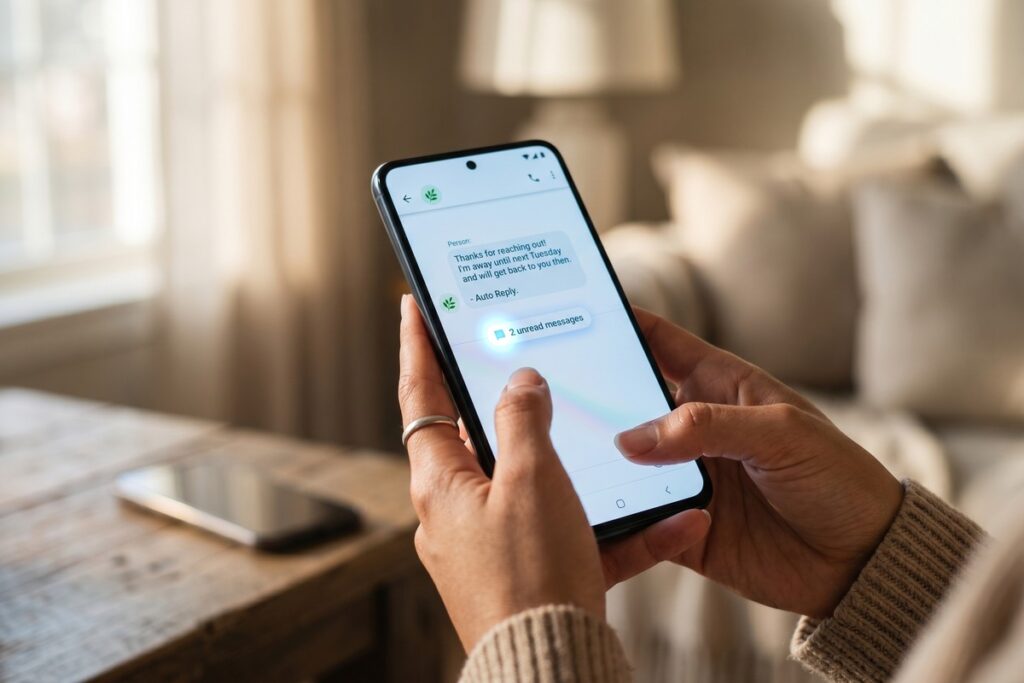
As of July 2025, you can set up auto-reply texts on any phone using built-in tools — no third-party app required. iPhones use Focus Mode to send auto-replies to up to 3 contact groups, while Android devices use Google Messages or manufacturer settings. Setup takes under 3 minutes on either platform.
Setting up auto-reply texts phone features without downloading a third-party app is fully possible on both iOS and Android using tools already built into your device. According to Apple’s official Focus Mode documentation, the auto-reply feature has been available natively since iOS 15, released in 2021 — yet most users have never activated it.
With distracted driving fines reaching as high as $10,000 in some U.S. states, automated text replies are no longer just convenient — they are a practical safety tool for anyone behind the wheel or in deep work sessions.
How Does iPhone Auto-Reply Work Without an App?
iPhones handle auto-reply texts through Focus Mode, a system-level feature introduced in iOS 15 that lets you send automatic responses to incoming messages when you are unavailable. You do not need any third-party app — the entire workflow lives inside your iPhone’s Settings.
To activate it, open Settings, tap Focus, then select or create a Focus profile such as “Driving” or “Do Not Disturb.” Inside that profile, scroll to Auto-Reply and tap it. You can then choose who receives the reply — either your Favorites, All Contacts, or Recent Contacts — and write a custom message of up to 300 characters. The feature is also accessible directly from Control Center for one-tap activation.
Which iOS Version Do You Need?
Auto-reply via Focus Mode requires iOS 15 or later. According to Apple’s iOS adoption data, over 90% of active iPhones now run iOS 16 or above, meaning the vast majority of iPhone users already have this capability without any update. If you use Focus Mode alongside other productivity features, the iPhone Focus Mode vs Android Bedtime Mode comparison on this blog breaks down which platform handles downtime management more effectively.
Key Takeaway: iPhone auto-reply texts require iOS 15 or later and are configured inside Settings under Focus Mode — no app download needed. The feature supports custom messages up to 300 characters and can be triggered instantly from Control Center.
How Does Android Auto-Reply Work on Stock and Manufacturer Phones?
Android auto-reply texts depend on your device’s manufacturer and the version of Android you are running, but native options exist across most major brands without requiring a third-party download. The approach differs between stock Android, Samsung Galaxy devices, and other manufacturer builds.
Stock Android and Google Messages
On stock Android devices running Android 10 or later, Google Messages does not offer a universal SMS auto-reply out of the box. However, Google Assistant routines can trigger templated responses. Open the Google Assistant app, navigate to Routines, and create a custom routine that sends a preset SMS reply when a specific condition is met — such as activating a “Do Not Disturb” schedule. This takes approximately 4 steps to configure.
Samsung One UI Auto-Reply
Samsung Galaxy devices running One UI 4.0 or later include a native auto-reply option inside Driving Mode. Go to Settings, search for “Driving mode,” enable it, then tap Auto text to write your message. Samsung’s implementation also integrates with Samsung’s Bixby Routines for more granular scheduling. If your Android is running slowly or behaving unexpectedly during setup, the guide on common mistakes people make when trying to speed up a slow Android phone can help resolve underlying performance issues first.
Key Takeaway: Android auto-reply texts are available natively on Samsung One UI 4.0+ via Driving Mode and on stock Android through Google Assistant Routines — both require 0 third-party apps and take under 5 minutes to configure.
| Platform | Native Feature | Max Characters | Setup Time | Requires App? |
|---|---|---|---|---|
| iPhone (iOS 15+) | Focus Mode Auto-Reply | 300 | 2–3 minutes | No |
| Samsung One UI 4.0+ | Driving Mode Auto Text | 160 (SMS limit) | 3–4 minutes | No |
| Stock Android 10+ | Google Assistant Routine | 160 (SMS limit) | 4–5 minutes | No |
| Pixel (Android 12+) | Focus Mode via Digital Wellbeing | 160 (SMS limit) | 3–4 minutes | No |
| iPhone (iOS 14 or below) | Driving Focus only (limited) | N/A | Not available | Third-party needed |
What Are the Most Effective Use Cases for Auto-Reply Texts on a Phone?
The most impactful use cases for auto-reply texts on a phone fall into three categories: driving safety, work focus blocks, and after-hours business communication. Each scenario benefits from a different configuration.
For driving, a short, direct message such as “I’m driving — will reply when I arrive” is most effective. The National Highway Traffic Safety Administration (NHTSA) reports that distracted driving claimed 3,308 lives in the United States in 2022 alone. Auto-reply texts phone features directly reduce the compulsion to check messages while driving.
For freelancers and small business owners, after-hours auto-replies set clear response expectations and reduce client anxiety. Research from HubSpot found that 90% of customers rate an “immediate” response as important when they have a service question — an auto-reply acknowledges receipt even when you cannot respond in real time. For deeper context on how automated messaging improves client relationships, the case study on how a freelance designer cut client response time in half with automated messaging is directly relevant.
“Automatic replies set the right expectations upfront. A user who receives an instant acknowledgment is significantly less likely to send a follow-up message or escalate — which reduces total communication volume, not just response time.”
Key Takeaway: Auto-reply texts reduce distracted driving risk and improve client satisfaction — 3,308 driving fatalities in 2022 were linked to distraction per NHTSA, and 90% of customers expect an immediate response, making native auto-reply a critical communication tool.
Are There Limits to Native Auto-Reply Texts on a Phone?
Yes — native auto-reply texts on a phone have meaningful limitations that users should understand before relying on them exclusively. Knowing these boundaries helps you decide whether the built-in tools are sufficient for your needs.
On iPhone, Focus Mode auto-reply only works with iMessage and SMS contacts — it does not extend to WhatsApp, Telegram, or other third-party messaging apps. Additionally, the system sends the auto-reply only once per contact per Focus session, preventing message loops. If you use multiple messaging platforms, you may want to review the options in this guide to best WhatsApp alternatives for remote teams that offer their own notification management tools.
On Android, the Google Assistant Routine method works only for SMS by default and requires the device to have an active Google account and Assistant enabled. Samsung’s Driving Mode auto-reply is limited to standard SMS (160 characters) and does not fire for calls, only texts. Neither platform currently supports conditional logic — such as replying differently to your boss versus a client — without a third-party application.
When Should You Consider a Third-Party App?
If you need per-contact custom replies, multi-platform coverage, or scheduling beyond a single Focus profile, apps such as Auto Reply Bot (Android) or IFTTT fill those gaps. However, according to Google Play’s data safety guidelines, any SMS automation app requires broad message-access permissions — a privacy consideration worth weighing carefully.
Key Takeaway: Native auto-reply texts on a phone do not cover third-party apps like WhatsApp and are limited to 1 reply per contact per session on iPhone. Android SMS auto-replies cap at 160 characters. Third-party tools add flexibility but require broad message permissions.
How Do You Write an Effective Auto-Reply Text Message?
An effective auto-reply text message is specific, brief, and sets a clear expectation — it should answer three questions: why you are unavailable, when you will respond, and what to do in an emergency. Generic messages like “I’m busy” create frustration rather than reducing it.
The ideal auto-reply runs between 20 and 50 words. Longer messages are less likely to be read in full on a mobile screen. Use plain language and avoid jargon. For business contexts, always include a specific callback window — “I’ll reply by 5 PM today” outperforms “I’ll get back to you soon” in setting expectations.
Here is a framework for structuring an auto-reply text:
- Reason: One short sentence explaining your status (e.g., “I’m currently driving” or “I’m in a meeting until 3 PM”).
- Timeline: Specific return time, not a vague promise.
- Escalation path: A phone number or alternative contact for genuine urgencies.
For professionals managing multiple communication channels, pairing a well-written auto-reply with disciplined phone screen time management tools creates a sustainable system for staying reachable without constant interruption. If you also want to explore hidden settings that improve iPhone productivity alongside auto-reply, the resource on hidden iPhone accessibility features that power users rely on is worth bookmarking.
Key Takeaway: The most effective auto-reply texts run 20–50 words, state a specific return time, and include an emergency escalation option. Messages with a defined callback window reduce follow-up texts by a measurable margin according to HubSpot’s customer response research.
Frequently Asked Questions
Can I set up auto-reply texts on an iPhone without Focus Mode?
No native alternative exists on iPhone outside of Focus Mode for SMS auto-replies. If your device runs iOS 14 or earlier, Focus Mode is unavailable and you would need a third-party app like Auto Responder for SMS to replicate the functionality.
Does Android have a built-in auto-reply for all text messages?
Stock Android does not have a universal built-in SMS auto-reply, but Samsung One UI 4.0+ includes one inside Driving Mode. Google Pixel devices can use Digital Wellbeing’s Focus Mode combined with Google Assistant Routines to approximate the same result.
Will auto-reply texts work for WhatsApp messages on iPhone?
No. iPhone’s native Focus Mode auto-reply only covers iMessage and standard SMS. WhatsApp, Telegram, Signal, and other third-party messaging apps are not supported by the built-in auto-reply system and require their own in-app notification management or a dedicated automation app.
How many times will my phone send an auto-reply to the same person?
On iPhone, the system sends the auto-reply once per contact per Focus session. If the same person texts again during the same active Focus period, they will not receive a second auto-reply. On Samsung’s Driving Mode, behavior is similar — one reply per contact per session.
Can I schedule auto-reply texts on a phone to turn on automatically?
Yes. On iPhone, Focus Mode supports automated triggers — you can set it to activate at a specific time, when arriving at a location, or when launching a specific app. On Samsung, Driving Mode can activate automatically when the phone connects to a car’s Bluetooth. Google Assistant Routines also support time-based and location-based triggers.
Are there privacy risks to using auto-reply texts on a phone?
The native auto-reply texts phone features on iOS and Android do not transmit message data to third parties — all processing happens on-device. The risk increases only if you use a third-party SMS automation app, which typically requires broad access to your messages. Always review app permissions carefully before granting SMS access.
Sources
- Apple Support — Use Focus on iPhone
- National Highway Traffic Safety Administration (NHTSA) — Distracted Driving Facts
- Samsung Support — Bixby Routines and Driving Mode Setup
- Apple Support — iOS and iPadOS Usage and Adoption
- Google Play — Data Safety and App Permissions Guidelines
- HubSpot — Customer Response Time Statistics and Research
- Android.com — Built-In Android Features Overview