
Fact-checked by the digital reach solutions editorial team
Quick Answer
The most effective two-factor authentication strategies go beyond basic SMS codes. As of July 2025, methods like hardware security keys, passkey binding, and biometric-backed TOTP apps block 99.9% of automated account attacks according to Microsoft research — yet fewer than 10% of users have implemented them.
Two-factor authentication strategies are no longer optional for anyone serious about digital security. According to Microsoft’s Security Intelligence data, enabling any form of multi-factor authentication blocks 99.9% of automated credential attacks — yet most users stop at the weakest available option. The gap between basic and advanced implementation is where real protection lives.
Attackers have adapted. SIM-swapping, real-time phishing proxies, and SS7 network exploits have made SMS-based 2FA a liability for high-value accounts. These seven strategies close those gaps.
Why Does SMS-Based 2FA Still Fail So Many Users?
SMS authentication is vulnerable to interception at the network level and is no longer considered secure for sensitive accounts. The NIST Special Publication 800-63B deprecated SMS as a recommended second factor due to SS7 protocol weaknesses and SIM-swap fraud risks.
SIM-swapping attacks increased by 400% between 2021 and 2023, according to the FBI’s Internet Crime Complaint Center. An attacker who convinces a carrier to transfer your number owns every SMS-based code sent to your device.
What Makes SMS Specifically Vulnerable
The SS7 protocol — the global signaling system used by mobile carriers — was designed in 1975 without authentication requirements. Researchers at Positive Technologies demonstrated that SS7 flaws allow remote call and SMS interception without physical access to a target’s phone. If your accounts depend on SMS 2FA, you are trusting a decades-old protocol not designed for modern threat models.
Key Takeaway: SMS-based 2FA is deprecated by NIST guidelines due to SS7 vulnerabilities and SIM-swap fraud. SIM-swapping incidents rose 400% between 2021 and 2023, making SMS codes an unreliable second factor for any account holding sensitive data.
How Do Hardware Security Keys Outperform Every Other 2FA Method?
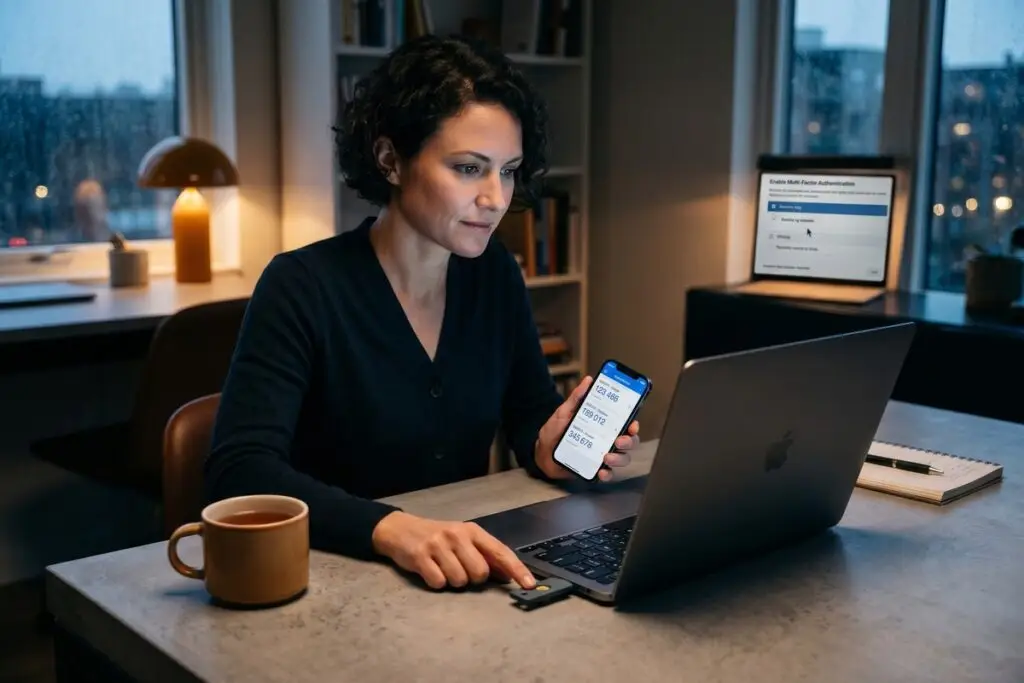
Hardware security keys — physical devices like the YubiKey or Google Titan Security Key — provide phishing-resistant authentication that no remote attacker can bypass. They use the FIDO2/WebAuthn standard, which cryptographically binds authentication to the legitimate domain, making credential-relay attacks impossible.
Google reported zero successful phishing takeovers among its 85,000 employees after mandating hardware keys in 2017, according to reporting by Krebs on Security. The key difference: the device never releases a code that can be intercepted or relayed — it performs a local cryptographic handshake instead.
Choosing the Right Key Format
Most users need a USB-A or USB-C key for desktop use and an NFC-enabled version for mobile. YubiKey 5 NFC and Google Titan both support FIDO2, TOTP, and OpenPGP across multiple form factors. Buying two keys — one primary, one backup — is essential, since losing your only hardware key without backup codes locks you out permanently.
“The adoption of FIDO2 hardware authenticators represents the most significant reduction in account takeover risk available to end users today. Password-only and SMS-based systems simply cannot compete with cryptographic proof-of-possession.”
Key Takeaway: Hardware security keys using the FIDO2 standard eliminated phishing-based account takeovers at Google across 85,000 employees. Devices like the YubiKey 5 NFC provide cryptographic authentication that cannot be intercepted or relayed by remote attackers.
What Are the Smartest Ways to Use Authenticator Apps?
Time-based one-time password (TOTP) apps — like Google Authenticator, Authy, and Aegis Authenticator — generate codes locally on-device without requiring network access. This makes them significantly more secure than SMS, though they remain vulnerable to real-time phishing proxy attacks if a user enters a code on a spoofed site.
Most users set up TOTP apps without ever exporting or backing up their seeds. When a phone is lost or reset, they lose access to every account simultaneously. Storing encrypted TOTP seed backups in a zero-knowledge password manager like Bitwarden or 1Password prevents this single point of failure. If you are new to encrypted messaging and secure storage concepts, the Encrypted Messaging Setup beginner’s guide on this site covers foundational principles worth reviewing first.
Biometric-Locked Authenticators
Enabling biometric lock on your TOTP app — a feature supported by Aegis on Android and Duo Security on both platforms — adds a third factor before codes are even displayed. This means a stolen unlocked phone cannot access your TOTP codes without a fingerprint or face scan.
| 2FA Method | Phishing Resistant | SIM-Swap Resistant | Works Offline | Recovery Complexity |
|---|---|---|---|---|
| Hardware Key (FIDO2) | Yes | Yes | Yes | Medium (need backup key) |
| TOTP App (Biometric) | No | Yes | Yes | Medium (need seed backup) |
| Passkeys | Yes | Yes | Device-dependent | Low (synced to platform) |
| SMS OTP | No | No | No | Low |
| Email OTP | No | No | No | Low |
| Push Notification (MFA) | No | Yes | No | Low |
Key Takeaway: TOTP apps are far safer than SMS, but most users never back up their seed keys, creating catastrophic lockout risk. Using an app like Aegis Authenticator with biometric lock and an encrypted seed export eliminates both the interception and loss-of-device risks simultaneously.
Are Passkeys the Future of Two-Factor Authentication Strategies?
Passkeys replace passwords entirely using device-bound cryptographic key pairs, and they are inherently phishing-resistant. Supported by Apple, Google, and Microsoft under the FIDO Alliance framework, passkeys stored in iCloud Keychain or Google Password Manager sync securely across verified devices without ever exposing a secret to a server. For a detailed comparison of passkeys against traditional credentials, see this breakdown of passkeys vs. passwords.
The advanced strategy here is account binding: registering multiple passkeys on separate devices for the same account, so no single device loss causes a lockout. Combining a platform passkey on your phone with a hardware-key-stored passkey on a YubiKey creates layered, device-diverse coverage.
Number-Matching and Context-Aware Push MFA
For enterprise accounts using Microsoft Authenticator or Duo Security, enabling number-matching push notifications prevents MFA fatigue attacks — where attackers spam approval prompts until a user accidentally accepts. Microsoft reported that number-matching reduced MFA fatigue attack success rates by over 99% in their tenant environments. Pair this with conditional access policies that restrict authentication to known device states and geographic locations.
Key Takeaway: Passkeys combined with number-matching MFA push notifications block both phishing and MFA fatigue attacks. Microsoft confirmed over 99% reduction in fatigue-based MFA compromises after enabling number-matching, making it one of the fastest wins in modern two-factor authentication strategies.
How Should You Set Up 2FA Recovery Without Creating a New Vulnerability?
Recovery codes and backup methods are the most neglected element of two-factor authentication strategies — and the most exploited. Printing backup codes and storing them in a fireproof location, or saving them in a zero-knowledge password manager vault, prevents social engineering attacks that target account recovery flows.
Attackers increasingly target recovery options rather than primary authentication. CISA — the Cybersecurity and Infrastructure Security Agency — recommends treating backup codes as highly sensitive credentials, equivalent to passwords. If your accounts are also connected to work devices or apps, reviewing these digital security practices for freelancers and remote workers and device encryption fundamentals will strengthen your overall security posture. Account recovery weaknesses are also a primary vector in post-breach scenarios covered in this guide to data breach recovery mistakes.
The Seven Advanced Strategies at a Glance
- Replace SMS 2FA with a TOTP app or hardware key on all critical accounts.
- Register a backup hardware security key for every account using FIDO2.
- Enable biometric lock on your authenticator app.
- Export and encrypt TOTP seed backups to a zero-knowledge vault.
- Deploy passkeys with multi-device binding for phishing resistance.
- Enable number-matching on enterprise MFA push notifications.
- Store recovery codes offline in a fireproof location or encrypted vault — never in email.
Key Takeaway: Recovery codes are as sensitive as passwords, yet most users store them in email or notes apps. CISA guidelines recommend offline or encrypted vault storage for backup codes — making recovery planning a core component of any complete two-factor authentication strategy.
Frequently Asked Questions
What is the most secure two-factor authentication method available in 2025?
Hardware security keys using the FIDO2/WebAuthn standard are currently the most secure option. They are phishing-resistant, SIM-swap-proof, and require physical possession of the device. Google’s deployment across 85,000 employees produced zero phishing-related account compromises.
Is Google Authenticator safe to use as a 2FA strategy?
Google Authenticator is safe against SIM-swapping and network interception, but it lacks biometric lock and encrypted cloud backup, which are risks if your phone is lost. Alternatives like Aegis Authenticator (Android) or Raivo OTP (iOS) offer encrypted backups and biometric protection.
Can two-factor authentication be hacked or bypassed?
SMS-based 2FA can be bypassed via SIM-swapping or real-time phishing proxy tools like Evilginx. TOTP codes can be relayed by an attacker in real time on a spoofed site. Only FIDO2 hardware keys and passkeys are technically phishing-resistant because they bind to the legitimate domain cryptographically.
What happens if I lose my 2FA device?
Without backup codes or a secondary 2FA method registered, account recovery depends entirely on the platform’s recovery process — which attackers increasingly exploit via social engineering. Always register a backup hardware key and store backup recovery codes in an encrypted password manager or physical secure location before you need them.
Should I use the same authenticator app for all accounts?
Consolidating into one authenticator app is convenient but creates a single point of failure. For most users, using one primary TOTP app with encrypted seed backups is an acceptable risk. High-value accounts — banking, email, work systems — should use hardware keys instead of any software authenticator.
Are passkeys compatible with two-factor authentication strategies?
Passkeys replace the password-plus-2FA model with a single cryptographic credential that incorporates device possession and biometric verification in one step. Platforms like Apple, Google, and Microsoft treat a passkey as stronger than password-plus-SMS-2FA combined, and NIST’s updated guidance supports this classification.
Sources
- Microsoft Security Blog — One Simple Action to Prevent 99.9% of Account Attacks
- NIST — Special Publication 800-63B: Digital Identity Guidelines
- Krebs on Security — Google: Security Keys Neutralized Employee Phishing
- CISA — More Than a Password: Multi-Factor Authentication
- FIDO Alliance — Passkeys Overview and Technical Standards
- FBI Internet Crime Complaint Center — SIM Swapping Public Service Announcement
- Microsoft Learn — Number Matching in Microsoft Authenticator MFA